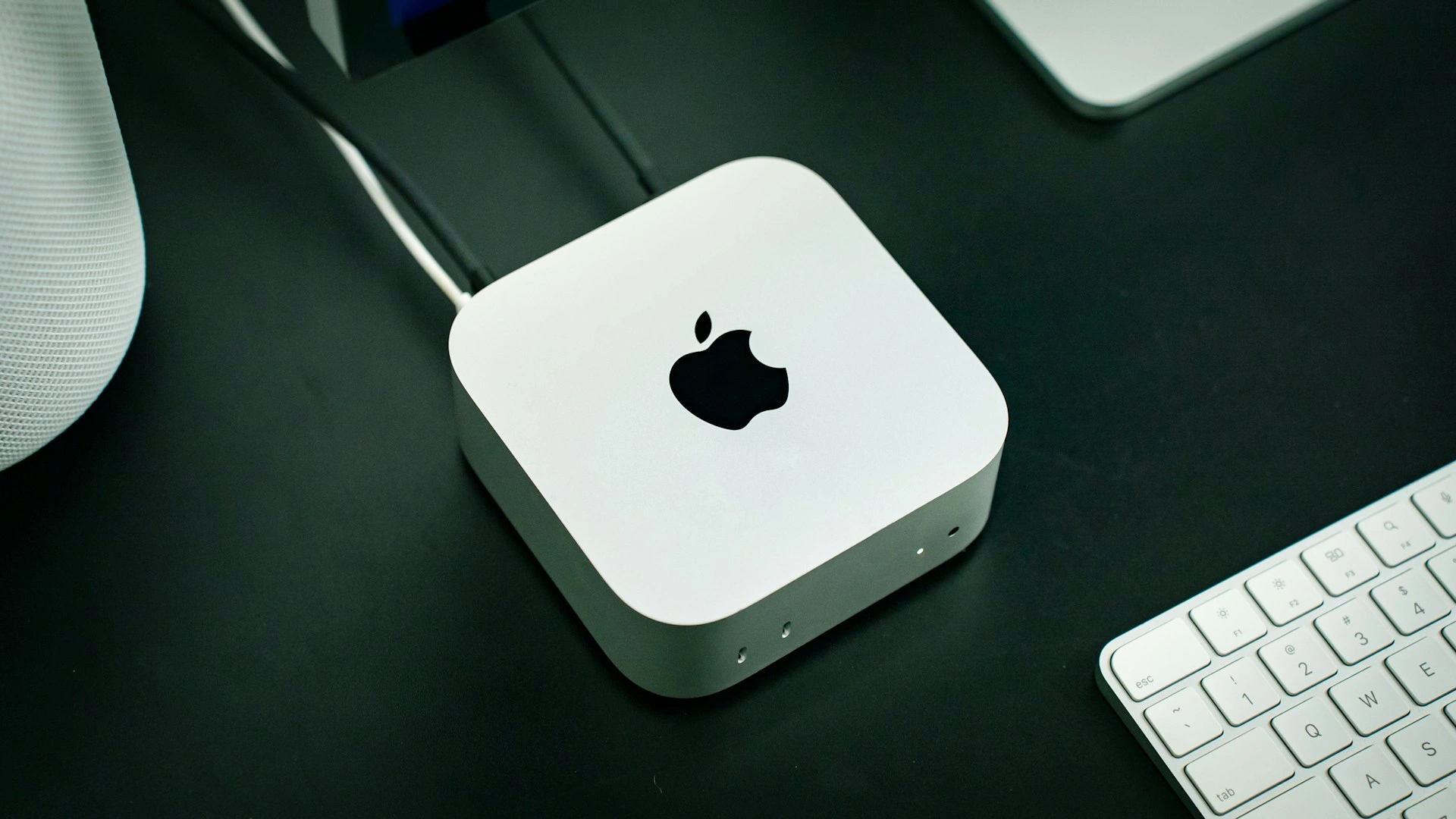
Late last month, Apple released the new Mac mini and Mac Studio. Alongside the impressive performance upgrades, the noticeably higher prices were just as striking. Rising memory and storage costs are undoubtedly a major factor, but in the AI era, developers’ hardware needs are also quietly changing. More memory and more storage keep raising our idea of what counts as a “good enough” configuration—and pushing the price we actually pay even higher.
Over the past few months, one of the biggest annoyances in my development work has been the constant noise of my MacBook Pro’s fans. For years, I would only really notice them under a handful of heavy workloads. But in the age of AI agents, having the fans running has become almost routine. Limited by the space inside a laptop and the size of its fans, the noise under sustained load also tends to be more noticeable—and more irritating—than on a desktop machine like the Mac mini.
At the same time, I’ve realized that the MacBook no longer feels as indispensable to my workflow as it once did. Unless I have a specific need, a phone and a tablet are already enough for quite a few Vibe Coding scenarios on short trips. Even when I do need a laptop, a lighter and less powerful model would probably be more than sufficient. So I’ve started seriously considering moving my primary development environment from a MacBook Pro to a Mac mini or Mac Studio.
That brings up another problem: for a primary development machine, memory capacity is a hard requirement. I have almost no need to run LLMs locally, but if I’m upgrading my computer, the new machine needs to offer meaningfully more than the 64GB I already have for the upgrade to feel worthwhile. That essentially rules out the M5 Pro Mac mini, leaving me with the M5 Max and M5 Ultra Mac Studio.
Interestingly, the next memory tier above 64GB is 128GB on one and 96GB on the other, yet the final prices are remarkably close. One gives me more memory; the other, a more powerful chip. I’m not usually someone who struggles to make a choice, but this one has genuinely left me undecided.
Meanwhile, OpenClaw’s popularity has drawn the attention of many consumers who previously had little interest in the Mac mini. OpenAI has also reportedly purchased tens of thousands of Mac minis and Mac Studios for reinforcement learning and training computer-use agents. AI-driven demand at one point grew far faster than Apple had anticipated. Combined with pressure on memory supply and advanced chip manufacturing capacity, this has kept the Mac mini and Mac Studio in short supply over the past few months. Even with the new generation now available, getting the exact configuration you want quickly is still not necessarily easy.
The productivity gains brought by AI may not yet be fully visible across society, but its appetite for compute, memory, and storage resources is already showing up in the hardware market. From components to complete systems, a wide range of consumer hardware is facing new pricing pressure. The old upgrade cycle—waiting a few years and spending roughly the same amount for a substantially more powerful computer—seems increasingly difficult to sustain, at least for now.
But there’s another side to the story: we can’t blame everything on rising prices. While AI is pushing hardware costs upward, it is also changing how we develop software and quietly raising our definition of what counts as a “good enough computer.” Hardware has become more expensive, but we’ve also started asking more of it.
Hopefully, one day we’ll get back to a time when buying a Mac mini doesn’t require quite so much mental preparation.
Original
SwiftData: Optimization Starts with Modeling
Once the dataset grows large, SwiftData lists start to lag. This is one of the performance complaints I’ve heard most often over the past few years. Developers’ first instinct is usually to blame SwiftUI’s List. It certainly bears some responsibility, but it isn’t the main culprit. A closer look reveals that long loading times aren’t the only thing dragging down performance—massive memory consumption is just as important. In this article, I’ll explore why these problems arise in SwiftData and why optimization should start with data modeling.
Some capabilities that appear to be missing from SwiftData may actually have been left out intentionally, reducing the learning curve by exposing fewer APIs and abstraction layers. Therefore, when optimizing SwiftData applications, it’s also worth letting go of some habits carried over from the Core Data era.
Recent Recommendations
The End of Swift Talk
After ten years and 500 episodes, Chris Eidhof and Florian Kugler have announced the end of Swift Talk. Since its launch in June 2016, Swift Talk has accompanied Swift through nearly its entire journey toward maturity, while also witnessing SwiftUI grow from its introduction into a core UI framework for Apple platform development. Through a long series of deep and highly experimental episodes, the two explored Swift, SwiftUI, layout, animation, concurrency, and many lower-level topics rarely covered in conventional tutorials. They hope to make the complete archive of more than 500 episodes available to the community by the end of this year.
For me, objc.io and Swift Talk have always occupied a very special place in the Swift community. Chris and Florian were rarely satisfied with simply telling developers how an API “should be used.” Instead, they would experiment, refactor, and sometimes even reimplement things to understand why a framework works the way it does. This approach to exploration has influenced many Swift developers, myself included. Thank you, Chris and Florian, for the time, knowledge, and curiosity you’ve contributed to the Swift community over all these years, and for the invaluable archive Swift Talk leaves behind.
What’s new in Swift: August 2026 Edition
Swift has published its August ecosystem update, curated by Simon Leeb and Dave Lester, covering noteworthy community projects, package updates, and Swift Evolution developments. What interests me most is Swift’s progress on the Web: Simon Leeb demonstrated a Full-Stack Swift on Cloudflare Demo, with Swift running in the browser through ElementaryUI and WebAssembly, a backend running on an edge worker, and message types shared between the two sides. From Embedded Swift and Wasm to an increasingly capable cross-platform toolchain, Swift continues to expand its reach beyond Apple platforms.
At the language level, the recently accepted Iterable is also worth watching. Sequence produces independent element values one by one during iteration, but this model doesn’t work for data structures such as Span and InlineArray that may contain non-copyable elements. Iterable allows elements to be borrowed rather than copied during iteration, giving these data structures a natural way to be traversed as well. It may look like just another iteration abstraction, but it is also another sign of Swift’s ownership capabilities gradually moving from the language’s lower levels into everyday API design.
OpenSwiftUI on ESP32-C3
The Swift update above showed how Swift continues to push beyond the boundaries of Apple platforms, and a recent experiment by OpenSwiftUI developer Kyle Ye provides a very tangible example of that trend. After receiving an ESP32-C3 development device from TraeAI, Kyle completed his first Embedded Swift project: deploying an embedded version of OpenSwiftUI to this RISC-V-based microcontroller. On its 240 × 320 LCD, he built interfaces using familiar APIs such as View, @ViewBuilder, Text, Image, VStack, HStack, and ZStack. Even @State can respond to physical button input and trigger UI updates.
The experiment uses Embedded Swift to compile native RISC-V code, with OpenSwiftUI handling view composition and layout before passing drawing through a thin rendering boundary to LVGL and the underlying hardware. In other words, a lean but complete UI pipeline has been established, from declarative views and layout calculation to state updates and final pixel output.
Multiplatform Swift, with C++ dependencies via XCFramework, apt and vcpkg
Whether a Swift application can truly become cross-platform often depends on whether its underlying C/C++ dependencies can make the journey as well. Harald Achitz uses his own ZeroMQ Swift bindings as an example to show how a Swift/C++ project targeting macOS, Linux, and Windows can organize its native dependencies: XCFrameworks on Apple platforms, system packages on Linux, and vcpkg to install ZeroMQ on Windows.
Connecting two iOS simulators over BLE
CoreBluetooth is completely unavailable in the iOS Simulator, which has long made BLE app development and testing dependent on physical devices. While developing BLESwift 2.0, Kyle Browning took a different approach: instead of calling CoreBluetooth, the central and peripheral devices in the Simulator forward their operations over localhost TCP to bleswift-provider running on the Mac, which creates a “virtual radio.” This allows two Simulators to discover, connect to, read from, write to, and receive notifications from each other much like two real BLE devices. A passthrough mode can even use the Mac’s Bluetooth hardware to communicate with real BLE devices.
What interests me more than BLE itself is the testing pattern behind this approach: when the Simulator lacks a particular system or hardware capability, instead of scattering mocks throughout the app, we can establish a replaceable backend between system capabilities and business logic, then use a proxy process on the Mac to recreate a controllable external world. This design not only addresses missing system or hardware capabilities in the Simulator, but also makes features that once depended heavily on real-world environments much easier to bring into automated testing and CI.
Reorder all the things in SwiftUI
SwiftUI has long lacked a general-purpose API for drag-to-reorder interactions in arbitrary containers, a limitation that was finally addressed after WWDC 2026. Alexander Logan introduces SwiftUI’s new reordering APIs. With APIs such as reorderable and reorderableContainer, developers can directly declare which content can be reordered and its associated data model. Reordering is no longer limited to List, nor do developers need to manage drop positions and data updates themselves through DropDelegate. More importantly, the new APIs provide a higher-level interaction semantic, separating “reordering” from drag and drop as a specific implementation mechanism. Developers describe the intent that “this content can be reordered,” while the system can take greater responsibility for whether that interaction is performed with a mouse, touch, or another input method.
Building a sunburst diagram in Swift Charts
A Sunburst Diagram is a chart that uses concentric rings to represent hierarchical data—for example, moving from “Work” to “Development” and then to a specific project, with each outward ring representing a deeper level of detail. Matthaus Woolard demonstrates how to use Swift Charts’ SectorMark to start with a regular pie chart and gradually build a three-level sunburst diagram. The implementation also nicely demonstrates the flexibility of Swift Charts: when the framework doesn’t directly provide a particular chart type, Marks such as SectorMark can be treated as lower-level visualization primitives, allowing more complex charts to be constructed by calculating angular ranges and data mappings manually.
Tool
CoreDataBrowser: Quickly Inspect Local Data in the Simulator
When debugging Core Data or SwiftData apps, you typically need to locate the relevant data files buried deep within the Simulator’s directory hierarchy, then open them in a SQLite manager to inspect the data. CoreDataBrowser, developed by Csaba Turdesan, aims to simplify this process: after selecting the currently running Simulator, it automatically locates Core Data, SwiftData, and UserDefaults data sources in app containers and presents them together in a native macOS interface.
CoreDataBrowser supports browsing tables and records, searching and highlighting matches, and attempting to decode certain binary data (BLOBs) as NSKeyedArchive, JSON, Property List, or UTF-8 text. The tool is tiny (2.5 MB), and its source code is publicly available.